If MQTT is the lightweight messenger of the connected world, OPC UA is its industrial diplomat — the standard that lets machines, controllers and software from completely different vendors understand each other with security and meaning built in. It is the backbone of Industry 4.0. This guide assumes you know nothing about it. By the end, you will understand how OPC UA works from its core ideas to its details, and you will have built and run a real OPC UA server and a client that browses, reads, writes and subscribes to live data. In short, you will be able to build a genuine OPC UA project yourself.
What OPC UA actually is
OPC UA (Open Platform Communications — Unified Architecture) is an open standard for exchanging industrial data between devices and systems. But it is more than a way to move bytes: it is a way to move meaning. Where a simple protocol might send the number 22.5, OPC UA sends "a variable named Temperature, of type Double, in degrees Celsius, belonging to Machine1, last updated at this time, which you are allowed to read". It combines communication, a rich data model, and strong security into one framework — which is exactly why it has become the language of modern factories.
The big idea: modelled data, not just messages
MQTT's big idea was publish/subscribe. OPC UA's big idea is the information model. Every server exposes its data as a structured, browsable tree of connected nodes — almost like a file system for a machine. A client does not need to be told in advance what exists; it can browse the server and discover the machines, their sensors, their settings and even the actions they can perform. This self-describing structure is what lets a brand-new client understand a machine it has never seen before.
The core roles: server and client
- An OPC UA server lives on or near a device — a PLC, a machine, or a gateway — and exposes that device's data and capabilities as a model other systems can access.
- An OPC UA client connects to a server to read values, write settings, call methods, or subscribe to changes. A SCADA system, an MES, a cloud connector or a simple script are all clients.
Unlike MQTT there is no central broker in the classic model: clients connect directly to servers. (OPC UA also offers a newer publish/subscribe mode, covered later, that adds broker-style messaging on top.)
The address space: nodes, objects, variables, methods
Everything a server offers lives in its address space — the browsable tree. The tree is built from nodes, and the important kinds are:
- Objects — containers that represent a thing, such as
Machine1. - Variables — the actual data values, such as
TemperatureorMotorCurrent. - Methods — actions a client can call, such as
StartorReset.
So a single machine might appear as an Object containing several Variables and a few Methods — a complete, self-describing picture of what it is and what it can do.
NodeId and namespaces: how everything is addressed
Every node has a unique identifier called a NodeId. A NodeId has two parts: a namespace index (which vendor or model it belongs to) and an identifier within that namespace. You will constantly see references like 2:Temperature, where 2 is the namespace index and Temperature is the name. Namespace 0 is reserved for the standard OPC UA definitions; your own data lives in a namespace you register (often index 2). Understanding namespaces is the key to reading any OPC UA address correctly.
The information model: data with meaning
Because OPC UA describes data types, units and relationships, entire industries have published standard models — called companion specifications — so that, for example, every robot or every injection-moulding machine exposes its data the same way. This means a client written for one machine can often understand another from a different vendor with little or no change. This shared, meaningful structure is what truly sets OPC UA apart from a plain transport protocol.
Services: what a client can actually do
A client interacts with a server through a fixed set of services. The essential ones are simple to grasp:
- Browse — explore the address space to discover what exists.
- Read — get the current value of a variable.
- Write — change a value or a setting.
- Call — execute a method (an action) on the server.
- Subscribe — ask to be notified automatically when values change.
Almost every OPC UA application is built from these few building blocks.
Subscriptions and monitored items: getting changes pushed to you
Constantly reading a value to see if it changed is wasteful. Instead, a client creates a subscription and adds monitored items — the specific variables it cares about. The server then pushes a notification only when a value actually changes (or at a chosen interval). This is efficient and real-time, and it is how dashboards and historians receive live data without hammering the server.
Security: built in, not bolted on
This is where OPC UA shines compared with older industrial protocols. Security is part of the standard itself, not an add-on:
- Encryption and signing protect every message from eavesdropping and tampering.
- Certificates let the client and server prove their identity to each other before any data flows.
- User authentication (username/password or certificates) controls who may connect.
- Security policies define exactly which encryption strength is used.
A properly configured OPC UA connection is secure by design — one of the biggest reasons it is trusted in critical industrial environments.
Sessions, secure channels and transport
When a client connects, it first establishes a secure channel (the encrypted, authenticated pipe), then opens a session (the logical conversation) on top of it. Most communication uses the efficient binary transport addressed as opc.tcp://host:4840. OPC UA also defines a newer PubSub mode that can send data over MQTT or UDP for one-to-many, broker-style distribution — combining OPC UA's rich modelling with MQTT-style messaging. Knowing which transport fits a situation is part of designing a good system.
Choosing an SDK/stack
You rarely implement OPC UA by hand; you use a proven stack. For learning and Python projects, asyncua (a pure-Python library) is excellent and is what we will use below. For high-performance or embedded servers, open62541 (C) is the leading open-source choice and runs even on microcontrollers. Java has Eclipse Milo, Node.js has node-opcua, and commercial stacks from vendors add tooling and support. As with MQTT, the concepts stay the same across all of them.
Hands-on, part 1: run an OPC UA server
Let us build something real. Install the Python library with pip install asyncua. The following is a complete, working OPC UA server that exposes one machine with a live temperature variable:
import asyncio
from asyncua import Server

async def main():
    server = Server()
    await server.init()
    server.set_endpoint("opc.tcp://0.0.0.0:4840/freeopcua/server/")

    # register our own namespace (returns an index, usually 2)
    uri = "http://example.org/factory"
    idx = await server.register_namespace(uri)

    # add an object for the machine, and a variable inside it
    machine = await server.nodes.objects.add_object(idx, "Machine1")
    temperature = await machine.add_variable(idx, "Temperature", 20.0)
    await temperature.set_writable()   # allow clients to write it too

    async with server:
        print("Server running at opc.tcp://localhost:4840/freeopcua/server/")
        value = 20.0
        while True:
            await asyncio.sleep(1)
            value += 0.5
            await temperature.write_value(value)

asyncio.run(main())
Run it, and you now have a real OPC UA server publishing a changing temperature. You can even open a free client tool such as UaExpert to browse it visually.
Hands-on, part 2: connect, browse, read and write with a client
Now a client that connects to that server, finds the variable, reads it and writes a new value:
import asyncio
from asyncua import Client

async def main():
    url = "opc.tcp://localhost:4840/freeopcua/server/"
    async with Client(url=url) as client:
        # browse from the Objects folder to our variable
        machine = await client.nodes.objects.get_child(["2:Machine1"])
        temperature = await machine.get_child(["2:Temperature"])

        # READ the current value
        value = await temperature.read_value()
        print("Temperature is:", value)

        # WRITE a new value
        await temperature.write_value(25.0)
        print("Wrote 25.0")

asyncio.run(main())
Notice the 2: prefix — that is the namespace index we registered in the server. Run the server, then the client, and you have a full round trip: your client discovered a machine, read its temperature and changed it, all with meaning attached to every value.
Hands-on, part 3: subscribe to live changes (and a note on embedded servers)
Polling is wasteful; let the server push changes to you. This client subscribes and reacts every time the temperature changes:
import asyncio
from asyncua import Client

class SubHandler:
    def datachange_notification(self, node, val, data):
        print("New temperature:", val)

async def main():
    url = "opc.tcp://localhost:4840/freeopcua/server/"
    async with Client(url=url) as client:
        machine = await client.nodes.objects.get_child(["2:Machine1"])
        temperature = await machine.get_child(["2:Temperature"])

        handler = SubHandler()
        sub = await client.create_subscription(500, handler)   # 500 ms
        await sub.subscribe_data_change(temperature)

        await asyncio.sleep(30)   # listen for 30 seconds

asyncio.run(main())
For a real device, the same server can live directly on the hardware. Using open62541, an embedded gateway or even a capable microcontroller can host an OPC UA server in C:
#include <open62541/server.h>
#include <open62541/server_config_default.h>

int main(void) {
    UA_Server *server = UA_Server_new();
    UA_ServerConfig_setDefault(UA_Server_getConfig(server));

    UA_VariableAttributes attr = UA_VariableAttributes_default;
    UA_Double temperature = 22.5;
    UA_Variant_setScalar(&attr.value, &temperature,
                         &UA_TYPES[UA_TYPES_DOUBLE]);
    attr.displayName = UA_LOCALIZEDTEXT("en-US", "Temperature");

    UA_Server_addVariableNode(server,
        UA_NODEID_STRING(1, "temperature"),
        UA_NODEID_NUMERIC(0, UA_NS0ID_OBJECTSFOLDER),
        UA_NODEID_NUMERIC(0, UA_NS0ID_ORGANIZES),
        UA_QUALIFIEDNAME(1, "Temperature"),
        UA_NODEID_NUMERIC(0, UA_NS0ID_BASEDATAVARIABLETYPE),
        attr, NULL, NULL);

    UA_Server_runUntilInterrupt(server);   // serve until stopped
    UA_Server_delete(server);
    return 0;
}
The moment this runs, any OPC UA client — including your Python client from part 2 — can browse and read that variable straight from the hardware. That is the power of a shared standard.
Putting it together: a real project architecture
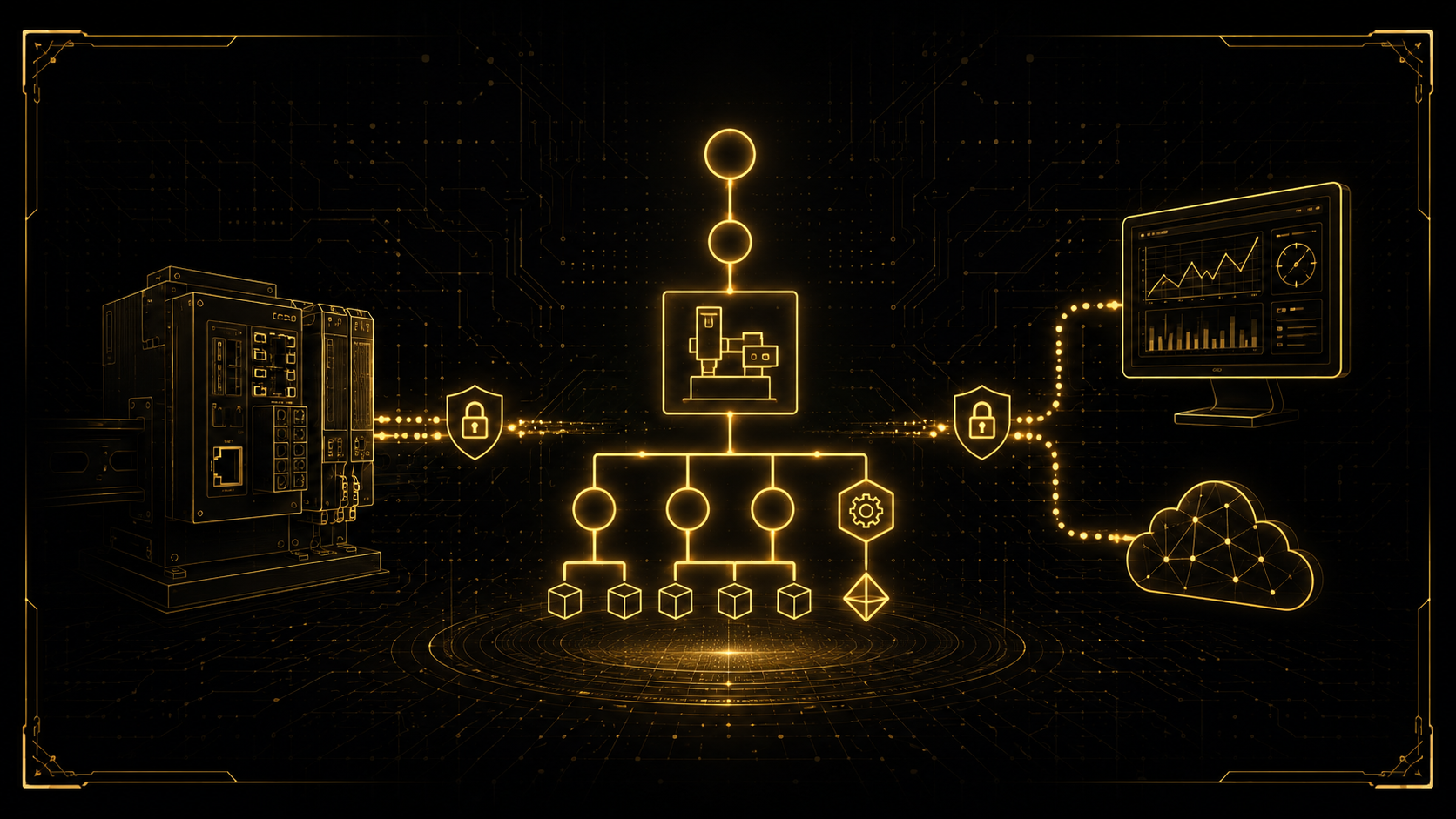
You now have every piece for a genuine industrial application. A typical OPC UA project looks like this:
- Machines and PLCs expose their data as OPC UA servers (many modern PLCs do this natively; older ones get a gateway).
- A SCADA or MES system acts as a client, browsing and subscribing to those servers for monitoring and control.
- A historian or database subscribes and records every change over time.
- A cloud or IT connector bridges OPC UA to the enterprise — often using OPC UA PubSub over MQTT to send data upward efficiently.
- Security — certificates, encryption and user rights — protects every connection end to end.
Every concept in this guide — the address space, NodeIds, services, subscriptions, security — has a clear role here. Understanding how they fit together is the difference between connecting one device and architecting a secure, vendor-neutral factory.
Best practices and common mistakes
- Design your information model deliberately — use companion specifications where they exist, so others can understand your data.
- Prefer subscriptions over constant reads for live data.
- Never run in "no security" mode in production — always enable certificates and encryption.
- Manage certificates properly — trust between client and server depends on it.
- Choose the right transport — classic client/server for control, PubSub for large-scale distribution.
- Do not confuse namespace indexes — the same name in a different namespace is a different node.
Where to go from here
You now understand OPC UA from its core idea to a working, secured project, and you have run both a server and a client, including live subscriptions. The natural next steps are enabling certificate-based security on your server, modelling a real machine with objects, variables and methods, connecting to a real PLC, and bridging to the cloud with OPC UA PubSub. Each builds directly on the foundation you now have.
OPC UA is simple to start and deep to master — and designing a secure, well-modelled, vendor-neutral system across a real factory is exactly the kind of work I do. If you are connecting machines for monitoring, control or full Industry 4.0 integration and want it engineered properly, get in touch — I would be glad to help.